Stardust Tycoon
A calm idle game for your browser. Mine stardust, buy upgrades and watch the number climb. No download, no sign-up.
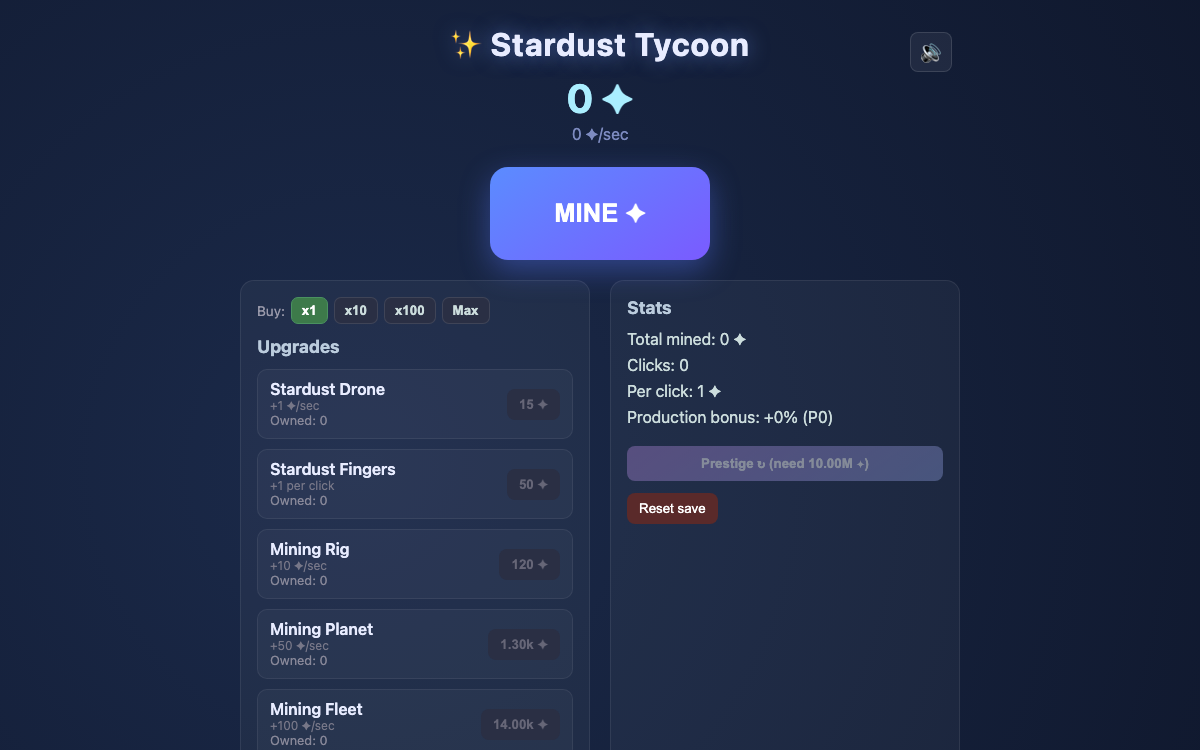
Loading Stardust Tycoon…
A calm idle game for your browser. Mine stardust, buy upgrades and watch the number climb. No download, no sign-up.
Stardust Tycoon is a free idle game, also called a clicker or incremental game, that runs in your browser. You press a big Mine button to collect stardust, spend it on upgrades that mine for you, and watch your total grow. There are no enemies and nothing to lose by stepping away, which makes Stardust Tycoon an easy game to leave open and come back to.
It was made by Noah Simons and shared as open source. We host a copy on Cozy Idle Games with a phone layout added, and we credit the author at the end of this page.
The shop has 17 upgrades. These are the first ones you will meet, with the price of the first copy:
| Upgrade | What it does | First copy costs |
|---|---|---|
| Stardust Drone | +1 stardust per second | 15 |
| Stardust Fingers | +1 per click | 50 |
| Mining Rig | +10 per second | 120 |
| Mining Planet | +50 per second | 1,300 |
| Reinforced Fingers | +5 per click | 5,000 |
| Mining Fleet | +100 per second | 14,000 |
| Stardust Amplifier | +5% production | 100,000 |
| Galaxy Forge | +1,000 per second | 200,000 |
| Mecha Fingers | +50 per click | 500,000 |
| Multiverse Harvester | +1,500 per second | 3.3 million |
The rest of the shop opens up as your lifetime total grows: Nebula Amplifier, Black Hole, Quasar, Cosmic Amplifier, Cosmic Witness, Omniverse and Singularity.
When you reach 10 million stardust, the Prestige button unlocks. Prestige resets your stardust and your upgrades, and in return gives you a permanent +10% production for each prestige you have done. Your achievements and your click count are kept. You choose when to prestige, so you can keep growing first if you like.
Stardust Tycoon saves to your browser automatically every 5 seconds. When you open it again, the game adds what your upgrades would have mined while you were away, up to a limit of 8 hours. Your save lives on the device and browser you play on, so clearing your browser data deletes it. There is no account and no cloud save in this version.
There are 10 achievements, from Pocket Change for mining 100 stardust in total to Cosmic Being for prestiging 5 times. Each one pays a stardust reward, so they are worth a glance at the Achievements list now and then.
On a computer you click. On a phone you tap, and the page uses a single column so the shop sits under the Mine button. The game plays a short click sound when you mine, and the speaker button in the corner turns it off. Use the Fullscreen button under the game for a bigger view.
Stardust Tycoon was created by Noah Simons. The source code is on GitHub under the MIT licence. On this site we removed the Google sign-in and the tip link and added a phone layout. See our credits page for the licence text.
Looking for something quicker? Pond Fishing is a one-minute fishing game made for this site, and our guide to cozy games like Animal Crossing lists eight relaxing games to try.
Yes. Stardust Tycoon is free, needs no download, no account and no purchase.
The game runs in your phone's web browser, and on narrow screens the page switches to a single column. Press Play, then tap the Mine button.
Not while the page is closed, but the next time you open it the game adds what you would have earned, for up to 8 hours away, at your current stardust per second.
Yes. The game saves to your browser every 5 seconds on the device you play on. If you clear your browser data, the save is deleted. This version has no account and no cloud save.
Once you have 10 million stardust you can prestige. It resets your stardust and upgrades and gives you a permanent +10% production for each prestige. Your achievements and click count are kept.
Press Reset save in the Stats panel and confirm. This removes everything, including your prestige bonus, so only use it if you really want a fresh start.
It plays a short click sound when you mine. Use the speaker button in the top corner of the game to turn it off.
Noah Simons made it and shared the source code under the MIT licence. We host a copy with the Google sign-in and tip link removed and a phone layout added. Details are on our credits page.
Reload the page and press Play again. If it still does not start, check your internet connection, try another browser, and turn off extensions that block scripts for this site. If nothing works, tell us your device and browser at contact@cozyidlegames.online.
Comments (0)